
Flockler vs Curator:
2026 comparison
When displaying social media content across multiple pages and channels, how you manage sources and layouts matters. Curator requires you to add the same content source again for each new layout, quickly consuming your subscription limits. When you change sources, you lose past campaign content. Flockler lets you create unlimited layouts from your sources without re-adding them, and you can change sources anytime without losing content.
Side-by-side comparison
Features
Flockler

Curator

Live chat support
Layouts per source
Change sources without losing content
Tag filtering for contextual feeds
UGC rights management
Content refresh
Admin/collaborator access
Automated AI moderation
Manual moderation
Shoppable CTAs
Alt text support
Website, events, signage usage
Onboarding support
API access
Understanding the key differences
Support and responsiveness
Flockler's approach:
All plans include live chat support and onboarding assistance. Every customer gets real-time help when setting up feeds, troubleshooting issues, or launching campaigns. Support is available via email, live chat, and Google Meet calls.
Curator's approach:
Email support only across all plans. No live chat or phone support option available. Response times depend on email queue and availability.
What this means for you:
When you're launching a campaign, troubleshooting a display issue before an event, or need quick guidance during setup, delayed email responses can create bottlenecks. Live support means immediate answers when timing matters.
Layouts and source management
Flockler's approach:
Create unlimited Social Walls, Grids, Carousels, and Slideshows from the sources you've gathered. Add Instagram, Facebook, YouTube, and other sources once, then create as many different layouts as you need without consuming additional source limits. Display different layouts across websites, mobile apps, digital displays, and events, all from the same sources.
Curator's approach:
Curator calls layouts "feeds". To create a new layout for your content, you must add the same content source again. Each new layout consumes one of your available sources in your subscription, making it expensive to display the same content in different formats or across multiple pages.
What this means for you:
If you want to show a carousel on your homepage and a grid on a product page using the same Instagram content, Curator requires you to add that Instagram source twice, consuming two source slots. With Flockler, you add it once and create unlimited layouts. Organizations with multiple websites, language versions, or business verticals will exhaust Curator's source limits quickly.
Changing sources and preserving content
Flockler's approach:
Change hashtags and social media sources anytime without losing content. When a campaign ends, swap in new hashtags while keeping previous campaign content live. Your archived content remains accessible and displayable.
Curator's approach:
To change sources, you either pay more to add new sources alongside existing ones, or you must delete old sources along with all their content. Past campaign and event content disappears when you remove sources to make room for new ones.
What this means for you:
Organizations running multiple hashtag campaigns or events throughout the year face a difficult choice with Curator: keep paying to add more sources, or delete valuable content from past campaigns. This makes Curator expensive for brands with frequent activations.
Tag filtering for contextual relevance
Flockler's approach:
Built-in tag filtering lets you show different subsets of content on different pages from the same source. Collect your brand's Instagram feed once, then display travel-related posts on travel pages, product posts on product pages, and event content on event pages using hashtag filters.
Curator's approach:
No tag filtering available. If you gather your brand's Instagram account, every page shows the same content. To display different content on different pages, you must add separate sources or create separate feeds (consuming more source slots).
What this means for you:
Without tag filtering, you can't create contextually relevant experiences. Every page shows identical content, or you consume multiple source slots to manually separate content types. Brands with diverse content themes or multiple product categories need flexible filtering.
UGC rights management
Flockler's approach:
Built-in tools to send and track content permissions directly from the platform. Request rights, monitor responses, and maintain compliance documentation all in one place.
Curator's approach:
UGC rights management available only through a separate Chrome extension. Teams must install and use the extension to request permissions from Instagram, then track responses outside the main platform.
What this means for you:
Managing permissions through a separate Chrome extension adds friction to your workflow. Built-in rights management means fewer tools to juggle and simpler permission tracking for your team.
Content moderation capabilities
Flockler's approach:
Three levels of moderation to match your needs:
- Manual moderation: Full control with hands-on review of every post before it goes live
- AI-assisted moderation: Garde AI flags unsafe content in images and text, you review flagged items and approve (Business plan and above)
- Automated filtering: Block specific usernames and keywords on Instagram, Facebook, and X (Twitter) to automatically prevent unwanted content
Switch between moderation levels based on your campaign needs.
Curator's approach:
Manual moderation with profanity filters and duplicate detection across all plans. Teams must review and approve content manually. No AI-assisted moderation available.
What this means for you:
High-volume hashtag campaigns or community walls generating significant UGC require efficient moderation. Manual-only moderation can become time-consuming as content volume increases.
Where each platform fits best
Curator works well for:
Single-page, single-layout needs:
Organizations displaying one social feed in one format on one page with no plans to expand. Teams comfortable with email-only support, manual moderation, and no need for tag filtering or frequent source changes. Ideal for simple, static displays that rarely change.
Flockler works well for:
Multi-layout organizations:
Marketing teams needing the same content displayed in different formats across multiple pages, websites, or channels without consuming additional source slots for each layout.
Multi-campaign teams:
Brands running multiple hashtag campaigns or events throughout the year who need to change sources without losing archived content from previous activations.
Contextual content displays:
Organizations wanting to show filtered, relevant content on different pages from the same sources using tag filtering. Tourism sites showing destination-specific content, retailers showing product-category content, or brands with diverse content themes.
Teams requiring responsive support:
Organizations running time-sensitive campaigns, events, or launches where immediate live chat assistance matters more than waiting for email responses.
Collaborative teams:
Marketing departments, agencies, or distributed teams needing unlimited user access to manage feeds together, regardless of plan tier.
High-volume content:
Organizations running hashtag campaigns, community walls, or events that generate significant UGC requiring flexible moderation from manual to AI-assisted.
Brands displaying customer content:
E-commerce companies, retailers, and brands showcasing UGC who need built-in rights management rather than separate Chrome extensions.
Multi-site operations:
Organizations with multiple websites, language versions, mobile apps, or business verticals needing efficient source management without multiplication of source limits.
Real customer examples
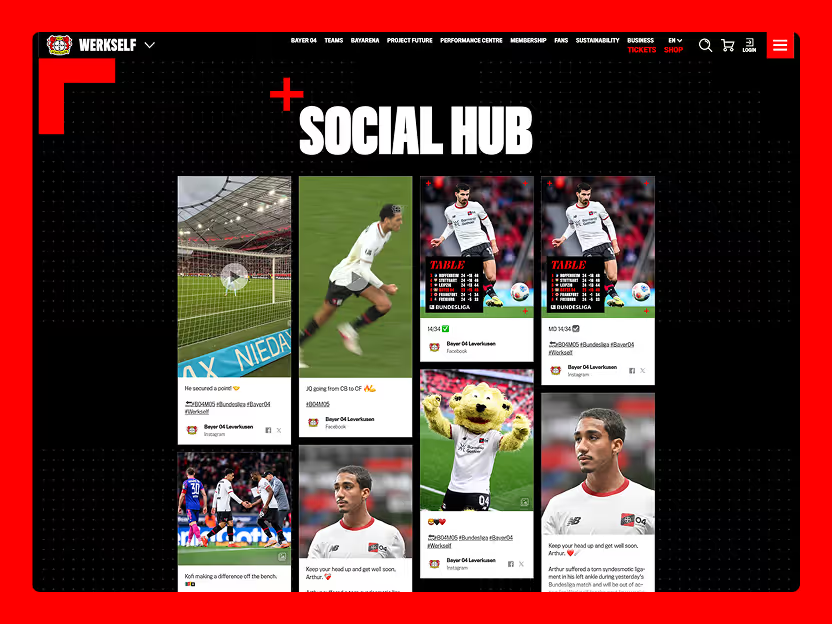
Bayer 04 Leverkusen (Sports):
Aggregates social media content and fan UGC to power homepage social walls. One subscription pulls and displays all social content across their website.
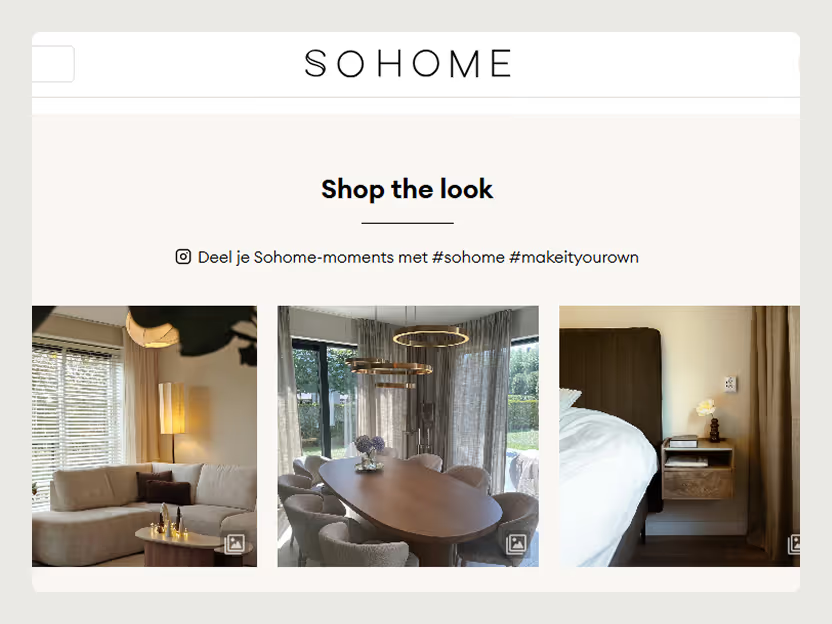
Sohome (E-commerce):
Creates shoppable Instagram galleries that build social proof and drive luxury product sales. Built-in shoppable CTAs turn customer photos directly into revenue.
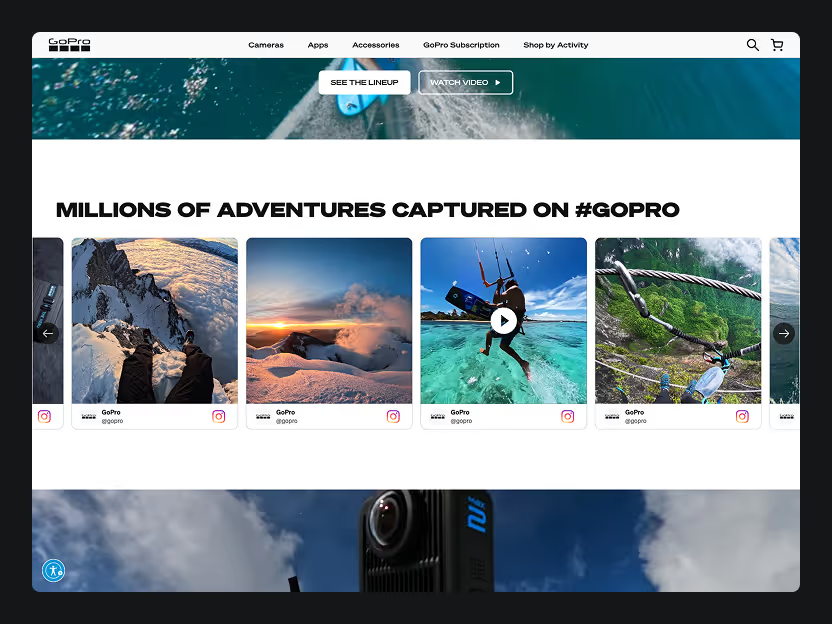
GoPro (Brand marketing):
Curates community content into high-engagement award pages that showcase products in action across web and event activations.
Making the switch
Every customer receives onboarding support regardless of plan tier. We ensure a smooth transition with zero gaps in your social content.
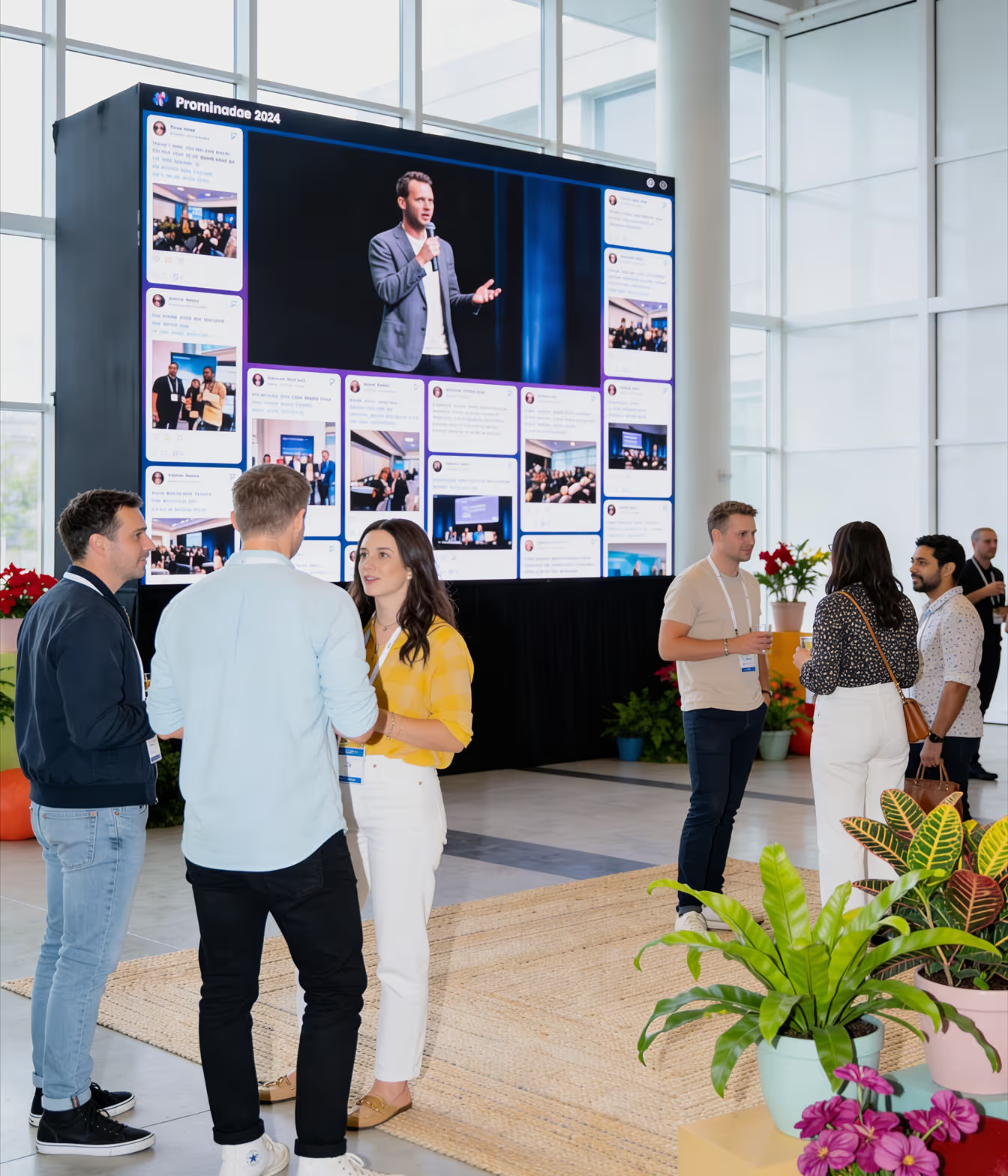
Connect social accounts (takes minutes)
Onboarding call to map your setup
Template matching to replicate your design
Go live with all channels covered
Common questions
Yes. Flockler provides live chat support across all plans, along with email and phone support. Curator only offers email support with no live chat option.
Yes. With Flockler, add each source once and create unlimited Social Walls, Grids, Carousels, and Slideshows without consuming additional source slots. Curator requires re-adding the same source for each new layout.
Flockler lets you change hashtags and sources anytime while preserving all previous content. Curator requires you to delete sources (and their content) to make room for new ones, or pay more to add additional sources.
Yes. Flockler's tag filtering lets you display contextually relevant subsets of content on different pages. Curator requires separate sources or feeds for different content displays.
Yes. Flockler includes built-in tools to send content permission requests. Curator offers UGC rights management only through a separate Chrome extension.
Get started
Start your 14-day free trial
No credit card required. Full features. Launch your first social wall in minutes.
Book a demo
See how Flockler works for your specific channels and events.
Case studies
See how organizations use Flockler across their marketing stack and event activations.
Questions? Email team@flockler.com or chat with our team.