.png)

Summary
- Flockler enables organizations to aggregate, moderate, and display social content across grids, walls, slideshows, and carousels, with built-in AI moderation and analytics to measure engagement and optimize ROI.
- Social media digital signage transforms passive screens into interactive social walls, boosting engagement by up to 50% by displaying dynamic posts instead of static content.
- Featuring real user posts, reviews, and tagged content increases trust and social proof, since viewers respond more positively to authentic peer-created content than to traditional advertising.
- Live social walls auto-refresh with new content from Instagram, Facebook, TikTok, and X, reducing manual updates and keeping digital signage visually fresh and relevant at all times.
If you’ve ever walked past the glitzy streets of New York Times Square or Japan’s Shibuya crossing, we don’t need to sell you on the enthralling effect digital signage can have on marketing.
However, did you know that adding a social media feed to your digital signage over generic brand advertisements can increase engagement by 50%?
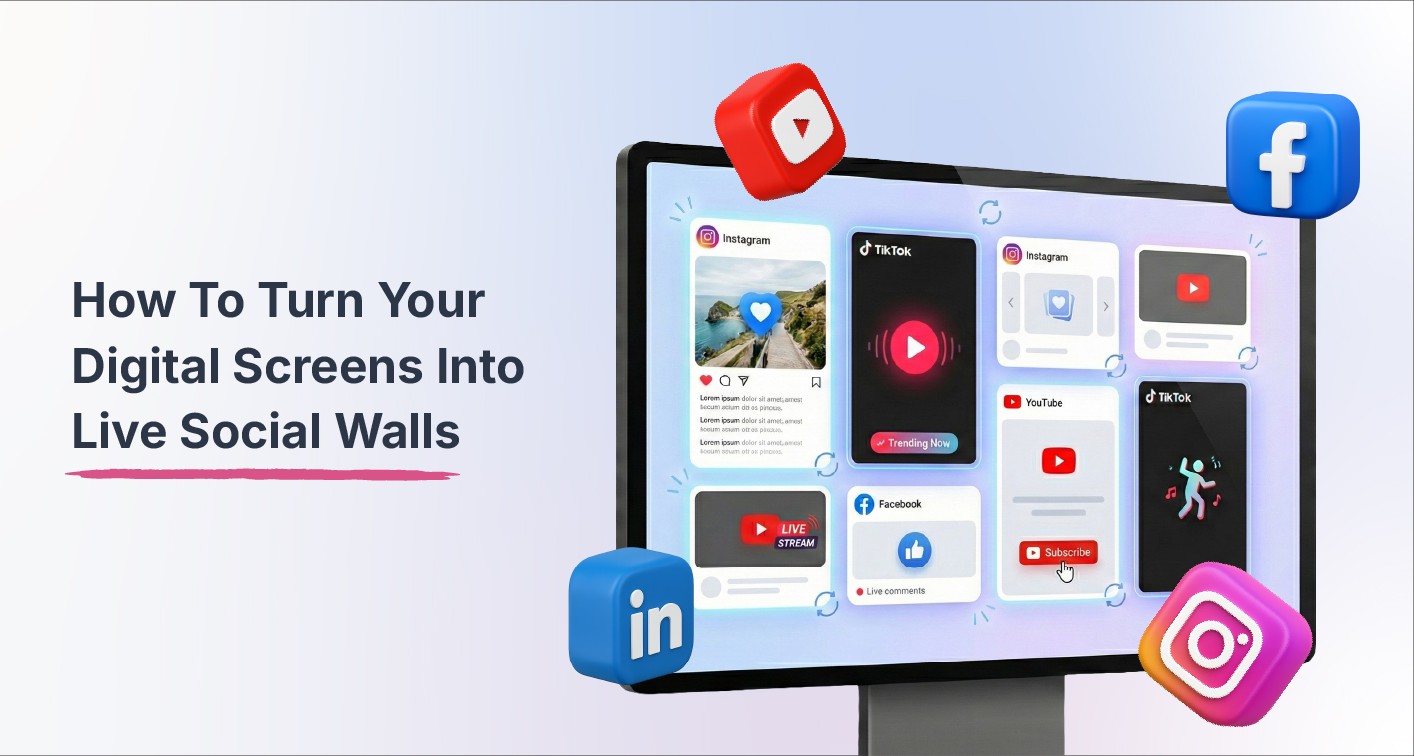
Social media digital signage represents the convergence of two powerful communication channels: physical displays and live social content. By transforming screens into dynamic social walls that aggregate and display real-time posts from social platforms where your audience already engages, you turn passive viewing into active participation, turning visitors into contributors and observers into advocates.
Whether you’re new to digital signage or are looking to optimize your current infrastructure, this guide has got you covered. We’ll explore why social media digital signage matters for modern businesses, practical use cases across industries, strategic implementation approaches, and how to choose the right platform to power your social walls.
What is Social Media Digital Signage, and why should you use it?
Integrating social media content into your digital signage strategy delivers measurable advantages that static displays simply cannot match, such as:
Amplifies Trust and Social Proof
Displaying real customer posts, tagged photos, product reviews, or brand mentions gives immediate credibility to experiences and claims. Viewers trust authentic content from real users far more than polished branded advertisements. When customers see genuine experiences and reviews from like-minded people and influencers featured prominently, purchase confidence increases dramatically.
This social proof is particularly powerful in retail environments, event spaces, and hospitality venues, where purchasing decisions happen in real-time and trust directly impacts conversion rates.
Increases Engagement and Participation
Campaigns built around branded hashtags or live event tags encourage audiences to create and share content in real time. The promise of seeing their own posts displayed on prominent screens throughout venues motivates further participation, creating a positive feedback loop. This visibility transforms passive attendees into active content creators who extend your brand reach through their own social networks.
This participatory dynamic works especially well during events, product launches, or experiential marketing campaigns where social sharing amplifies impact beyond physical attendees.
Keeps content dynamic and fresh
Unlike static signage requiring manual updates, dynamic social walls refresh automatically as new content appears on connected platforms. This goes a long way toward reducing manual workload while keeping screens perpetually relevant and up to date. This also removes the burden of creating new content from the marketing teams and places it on customers and community members to generate it organically through their social media activity.
Offers custom changeable layouts and branding
When you use an industry-leading social wall embedding platform such as Flockler, you get access to various layout options, such as grid, masonry, carousel, and slideshow. You also get customized color schemes, fonts, spacing, and visual elements. These elements can always be tweaked after deployment, giving you instant flexibility.
How to create and implement Social Media Signage
Implementing successful social media digital signage can be quite daunting for those starting out. Requires systematic planning and execution across multiple phases. Since we’ll use Flockler for this demonstration, sign up for our free 14-day trial now!
1. Audit Your Current Infrastructure
Identify existing screens throughout campus, document their locations and current usage, assess technical capabilities (resolution, connectivity, media player compatibility), and evaluate which displays serve high-traffic areas versus specialized zones. This audit reveals opportunities for immediate improvement and identifies gaps requiring new installations.
2. Define Your Content Strategy
Establish clear guidelines covering which social platforms you'll aggregate. You can choose from multiple social media platforms, such as YouTube, Instagram, Facebook, TikTok, and more, to capture customer voices from where they post.
Strategic content planning prevents common pitfalls, such as overwhelming viewers with too much information or creating displays that feel either too corporate or inappropriately casual.
3. Build and Curate Your Social Walls on the Flockler dashboard
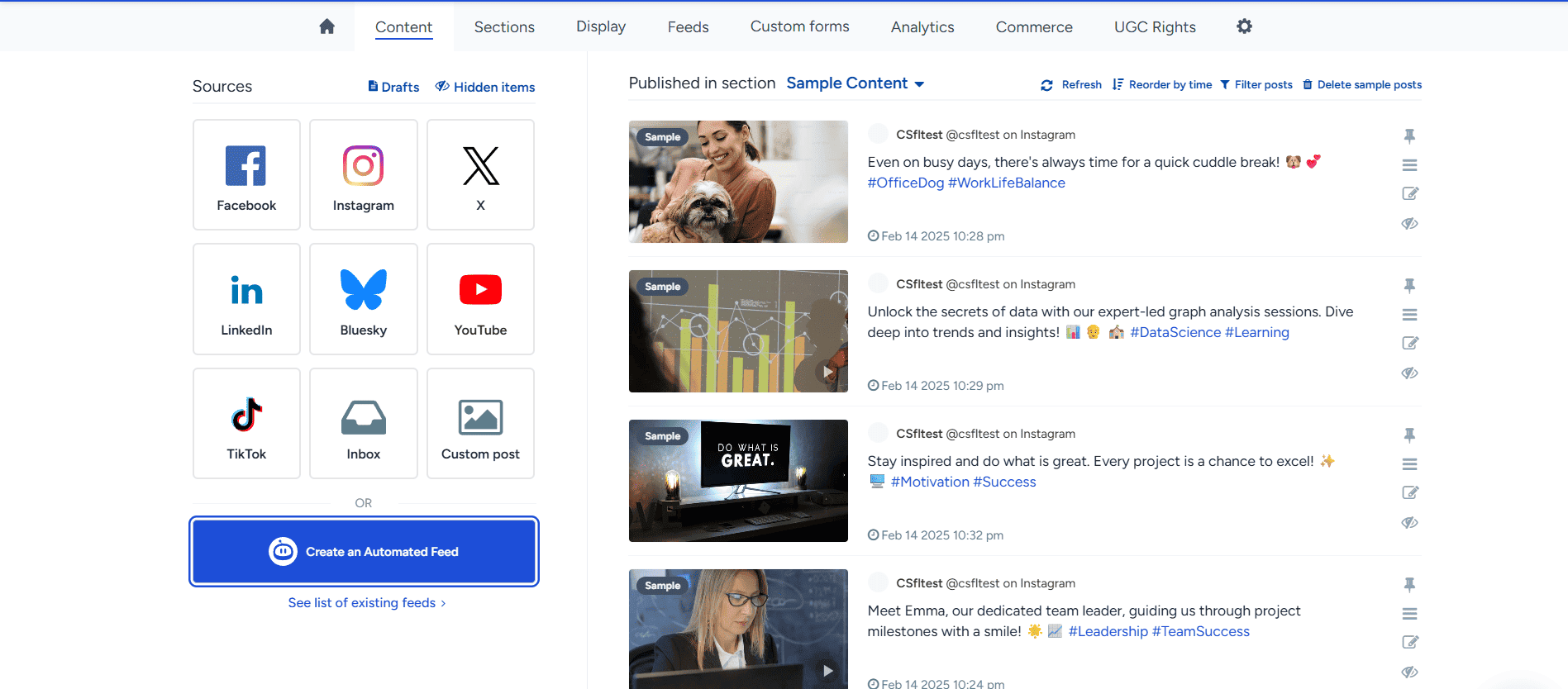
Set up feeds from selected social sources using hashtags based on your requirements.
Open the Flockler dashboard and select your sources. Once you have done this, proceed to the next step.
4. Choose the right layout options and customize

Once you’ve integrated the required social media feeds, you’ll now need to choose between different display types based on locations and objectives that require different visual approaches:
- Grid layouts organize content in structured, easy-to-scan formats ideal for high-traffic areas.
- Wall/masonry layouts create dynamic, visually engaging displays where content sizes vary.
- Carousel layouts horizontally scroll through featured content, which works well for smaller screens.
- Slideshow formats present content sequentially with transitions, useful for mixing social content and putting the focus on specific individuals.
Choosing appropriate layouts for each display zone maximizes impact while ensuring content fits naturally into different campus environments.
5. Deploy Content to Appropriate Screens
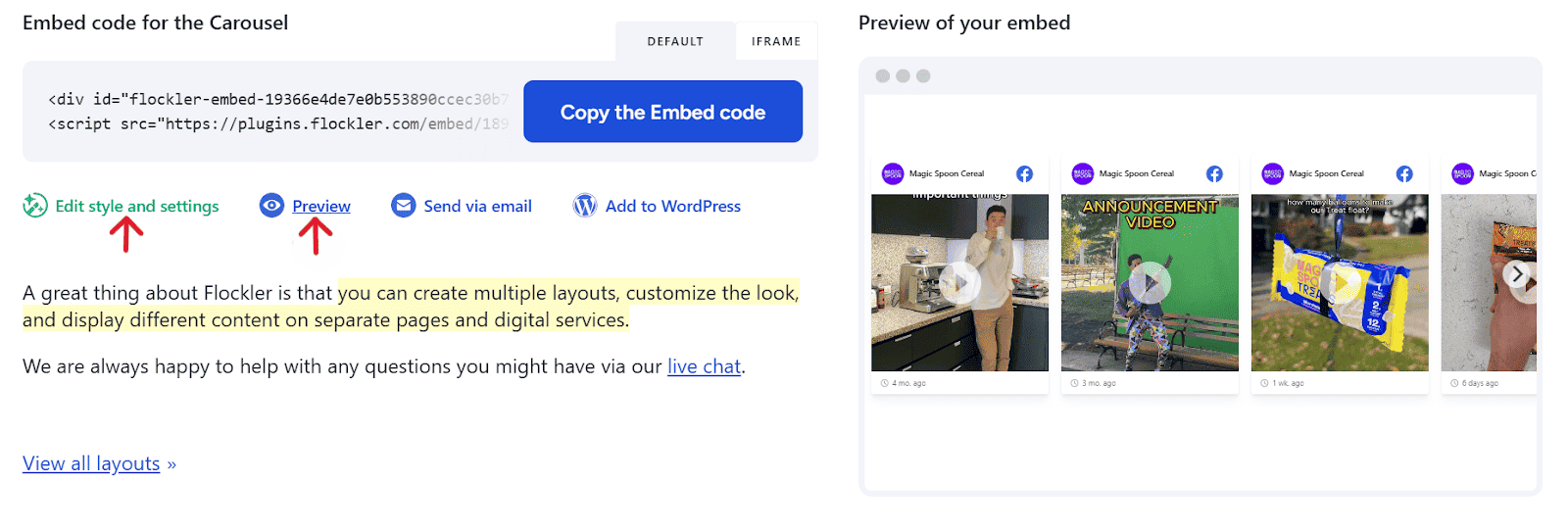
Push your layouts to screens throughout campus by embedding them with your media player. You’ll get the final code from Flockler, which you can use for this purpose.
Ensure you test and experiment with the look and feel for different scenarios. Remember, how your digital signage will look cannot be completely predicted. Make sure you live test and ensure everything is to your brand’s liking.
6. Set up a strict regulation mechanism
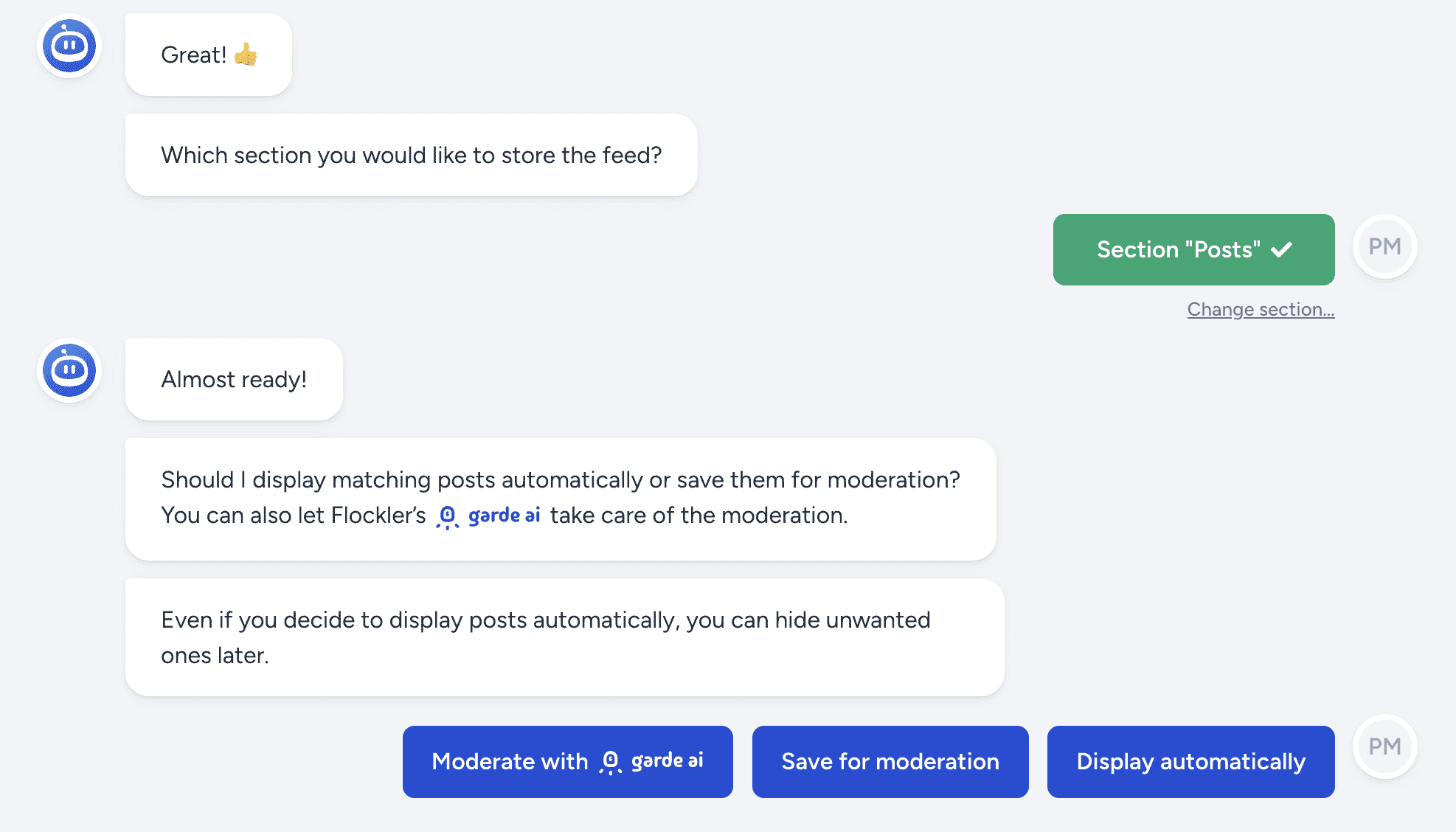
When it comes to featuring comments on a giant screen, what you feature must go through stringent security protocols.
With Flockler, you can add another layer of security with Garde AI, which is an AI-assisted filtering that flags potentially problematic content automatically, and keyword-based approval rules that auto-approve trusted sources.
7. Measure Performance
Use Flockler’s social media analytics tool to monitor metrics such as engagement patterns, post velocity, content source distribution, and performance across different screens and layouts. Make sure you track which content types generate the most interest, which sources provide the highest-quality material, and how refresh rates impact viewer attention.
Adjust content sources, moderation rules, layout choices, and deployment strategies based on empirical evidence rather than assumptions. This continuous optimization ensures your social media digital signage investment delivers maximum value over time.
How Different Industries Use Social Media Wall Digital Signage
Social media digital signage delivers value across diverse sectors, with implementation strategies tailored to specific industry needs:
Retail Stores
In-store digital screens displaying happy customer posts, product reviews, influencer content, and campaign hashtags build trust and drive purchases. According to Everwall, featuring real customers using products in authentic contexts proves far more persuasive than traditional product photography or marketing claims.
Retail implementations work particularly well near point-of-sale areas, in fitting rooms, and at store entrances where social proof influences purchase decisions in real-time.
Events and Conferences
Live social walls displaying event hashtags, attendee photos, speaker quotes, and real-time reactions transform event spaces into interactive, social experiences. This visibility encourages broader participation while extending the event's impact through social media amplification, reaching audiences beyond physical attendees.
Event organizers use social walls on main stages, registration areas, networking lounges, and sponsor booths to create buzz and demonstrate attendance engagement.
✨ Real-life example:
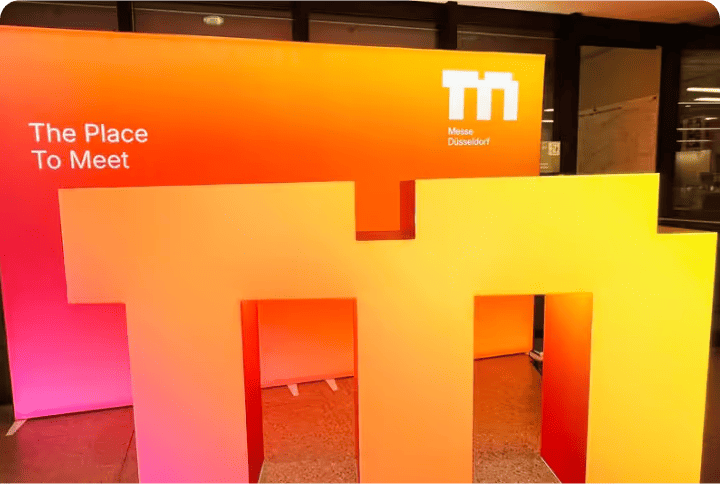
Messe Düsseldorf, one of the world’s leading trade fair organizers, capitalized on the brilliant use of real-time UGC for events. With Flockler, they embedded dynamic social walls across event venues, websites, and digital screens. Attendees could share posts and photos using branded hashtags, which appeared instantly on live displays.
Corporate and Internal Communication
Office lobbies, meeting rooms, and common areas displaying employee achievements, Slack conversations, LinkedIn updates, or internal campaign content reinforce company culture and strengthen internal communications. Everwall notes that this visibility helps distributed teams feel connected while celebrating successes that might otherwise go unnoticed.
Corporate implementations also work well for recruiting purposes, showcasing authentic employee voices to prospective hires visiting offices for interviews.
Education and Campus Environments
Schools and universities use social walls to display student-generated content, event updates, club activities, and community posts, fostering a sense of belonging that is crucial to student retention. According to Walls.io, featuring student voices prominently throughout campus creates visible evidence of vibrant community life that prospective students value highly when making enrollment decisions.
Educational initiatives take place in student unions, dining halls, libraries, and residence halls, where students naturally congregate.
✨ Real-life example:
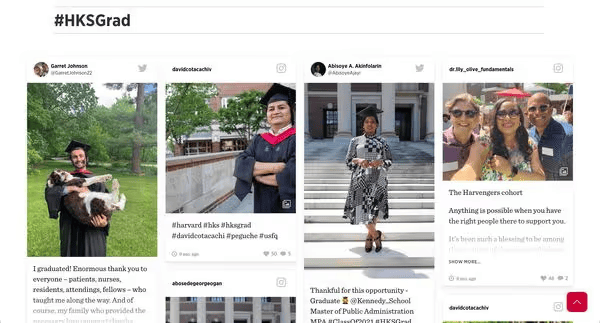
Harvard University understands the need to engage students and build community with digital displays. With Flockler, they were able to pull in social media posts from Instagram, Twitter (X), and other platforms and display them on their websites, campus TVs, and event screens. This setup helped increase engagement with real, user-generated content.
📕Also read: How to use digital signage in education.
Hospitality and Venue Spaces
Hotels, restaurants, bars, and event venues display guest posts, review highlights, live event tags, and visitor experiences to boost social proof and encourage guest engagement. Walls.io reports that this user-generated content proves more authentic and persuasive than professionally produced marketing materials while encouraging guests to share their own experiences.
Hospitality implementations work well in lobbies, restaurants, bars, conference spaces, and any areas where guests gather and socialize.
Charity and donations
By using social media digital signage, charities can elevate their brand presence and draw more people to a good cause. Placing a social wall at charity centres, donation fundraisers, fundraising events, and corporate events can help donors see their impact and raise awareness, attracting potential donors.
✨ Real-life example:
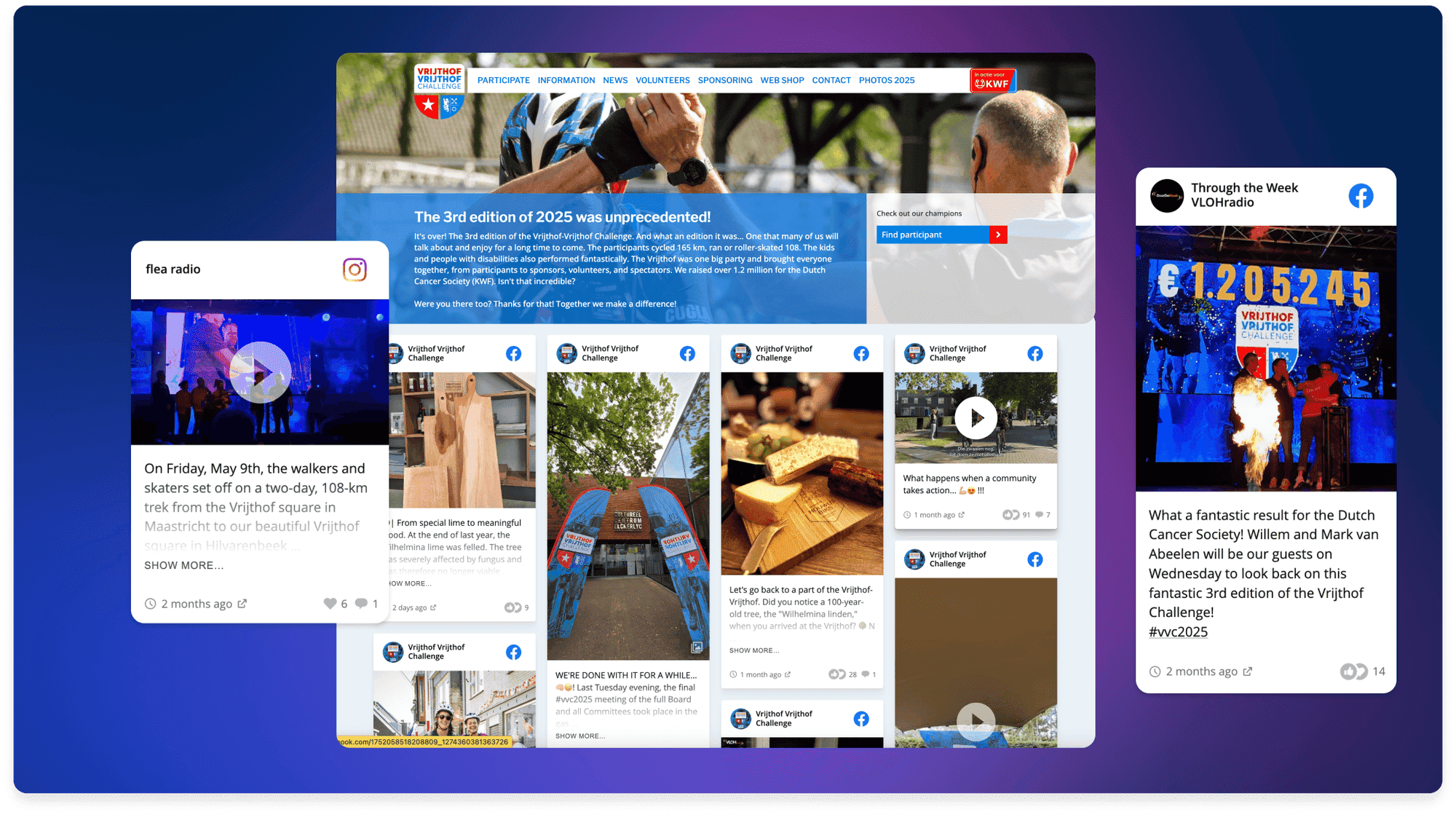
Vrijthof-Vrijthof is a Dutch cancer fundraiser founded by two brothers whose family was personally affected by the disease. By using Flockler to power live display screens at the finish line, they showcased real-time social media content from Instagram and Facebook, event photos, announcements, and messages of encouragement. This social wall setup helped deepen connections among participants, family, and supporters, leading to 15,000 participants and raising over €2.3 million for cancer research and care.
Best Practices and Common Challenges
Understanding potential obstacles and proven solutions ensures smoother implementation and better long-term results. While safety is a huge parameter, here are some of the most important factors to consider:
Why Use Flockler as your UGC digital signage software
Social media digital signage isn’t just a passing trend. They’re expected to be the future of all outdoor advertising. Flockler elevates this strategy and delivers comprehensive capabilities specifically designed for brands such as:
Multi-Platform Aggregation: Pull content seamlessly from multiple social media platforms, Instagram, LinkedIn, X (Twitter), TikTok, YouTube, Facebook, and other platforms, into unified social walls.
Powerful Moderation Tools: Ensure what is displayed is always brand safe through AI-assisted filtering that automatically flags potentially problematic content.
Design Flexibility and Customization: Choose from various social wall layouts and customize every visual element to your brand identity.
Real-Time Automatic Updates: Social walls refresh automatically as new posts appear on connected platforms, eliminating manual upload burden and ensuring displays always feature fresh content.
Multi-Screen Deployment and Management: Manage multiple digital signage displays across various locations from a centralized cloud dashboard.
Comprehensive Analytics and Reporting: Track which posts display most frequently, content mix evolution over time, source performance, refresh rates, and engagement patterns.
Ready to transform your screens into living social walls that showcase authentic customer voices? Start Your Free Flockler Trial now – No Credit Card required.
FAQs
What types of content can appear on social media digital signage?
Social walls can display posts, photos, videos, stories, and other content from Instagram, X (Twitter), LinkedIn, TikTok, YouTube, Facebook, and other platforms. You control which sources to include and can filter by hashtags, accounts, mentions, or custom criteria.
How can I prevent inappropriate content from appearing on screens?
Flockler provides multi-layered moderation, including AI-assisted filtering that flags potentially problematic content, keyword-based rules for auto-approval and blocking, manual moderation queues where team members review posts before display, and instant removal capabilities for any content that shouldn't have appeared in the first place.
Can I customize the appearance to match my brand?
Absolutely. Flockler offers complete design control, including layout selection (grid, carousel, masonry, slideshow), color customization, font selection, spacing adjustments, logo placement, and transition effects, ensuring social walls align perfectly with your brand identity.
How often does content update on the screens?
Social walls update in real-time as new posts appear on connected platforms. You can configure refresh rates based on content velocity and viewing context: faster updates for high-traffic areas with brief viewer attention, and slower updates for spaces with longer dwell times.
What's involved in deploying social walls to multiple screens?
Flockler offers embed codes that are compatible with popular digital signage hardware and content management systems. You can manage multiple screens from a centralized dashboard, assign different content feeds to different locations, and update everything remotely without visiting physical screen locations.